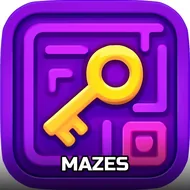
Mazes
Instructions:
How to play - Analyze the Start point and end point - Tap on the Object in the direction you wish to moveDescription
Mazes Browser Game Analysis
Features
Mazes strips the puzzle genre down to something almost stubbornly simple: a dot, a start point, an end point, and a bunch of walls trying to keep the two apart. There's no timer screaming at you, no combo meter, nothing flashy. Just a board layout that asks you to actually look before you leap. The whole thing leans on that old-school labyrinth feeling, the kind you'd scribble on paper as a kid, except now it's tidied up into a browser puzzle you can knock out on a coffee break. Levels ramp up gradually, so the early ones feel like a warm-up and the later ones start throwing dead ends at you that genuinely make you pause and trace the route with your eyes twice.
What's kind of nice here is how low-stakes it feels while still asking for real attention. You're not memorizing patterns or grinding for upgrades, you're just scanning a grid, spotting the gap, and tapping your way through it, one segment at a time. Mess up and pick a dead-end path? No penalty screaming at you, you just backtrack and try the other branch. That forgiving pace is honestly the point. It's the kind of game you open when your brain's fried from spreadsheets or homework and you want something that still counts as "thinking" without demanding much from you. A few levels in, though, the mazes get twisty enough that you'll catch yourself muttering "wait, where does this even lead" under your breath.
Control Scheme
- Check the start and end points before moving anything.
- Tap the object in whichever direction you want the dot to travel.
- Plan two or three moves ahead instead of tapping blindly into walls.
- Backtrack freely if a path dead-ends, there's no punishment for it.
- Take a breath on trickier boards, the layout usually makes sense once you slow down.